Generative AI Toolkit for SAP HANA Cloud

Welcome to Generative AI Toolkit for SAP HANA Cloud (hana.ai)!
This package enables the users to access SAP HANA data and build various machine learning models using the data directly in SAP HANA via natural language. This page provides an overview of hana.ai.
Generative AI Toolkit for SAP HANA Cloud consists of four main parts:
AI tools, which provides a set of tools to analyze data and build machine learning models.
HANA Vector Store and Knowledge Base API, which provides a way to store and retrieve vectors and knowledge bases.
Smart DataFrame, which is a HANA dataframe Agent to interact with HANA data.
ContextAgent, which provides the recommended way to interact with the AI tools via natural language using Markdown-backed memory and runtime skill routing.
MCP server, which exposes the toolkit's tools (including the HANA object discovery and data retrieval tools) over either stdio or HTTP transport with structured audit context.
Prerequisites
SAP HANA Python Driver : hdbcli. Please see SAP HANA Client Interface Programming Reference for more information.
SAP HANA PAL : Security AFL__SYS_AFL_AFLPAL_EXECUTE and AFL__SYS_AFL_AFLPAL_EXECUTE_WITH_GRANT_OPTION roles. See SAP HANA Predictive Analysis Library for more information.
SAP HANA APL 1905 or higher. See SAP HANA Automated Predictive Library Developer Guide for more information. Only valid when using the APL package.
Python Machine Learning Client for SAP HANA version 2.24 or higher : Install it using
pip install -U hana-ml. For more details, refer to the Documentation.SAP-AI-SDK-GEN: Install it using
pip install "sap-ai-sdk-gen[all]". For comprehensive instructions, see the SAP Help Documentation on Using SAP-AI-SDK-GEN.Ensure that you have access to generative AI hub and deployed models in SAP Business Technology Platform. For more information, see the Create a Deployment for a Generative AI Model.
ContextAgent with HANAML Toolkit
HANAML Toolkit is a set of tools to analyze data and build machine learning models using the data directly in SAP HANA. It can be consumed by ContextAgent. cc is a connection to a SAP HANA instance.
from hana_ai.agents.context_agent import ContextAgent
from hana_ai.tools.toolkit import HANAMLToolkit

tools = HANAMLToolkit(connection_context=cc, used_tools='all').get_tools()
chatbot = ContextAgent(llm=llm, tools=tools, storage_dir=".context_agent")
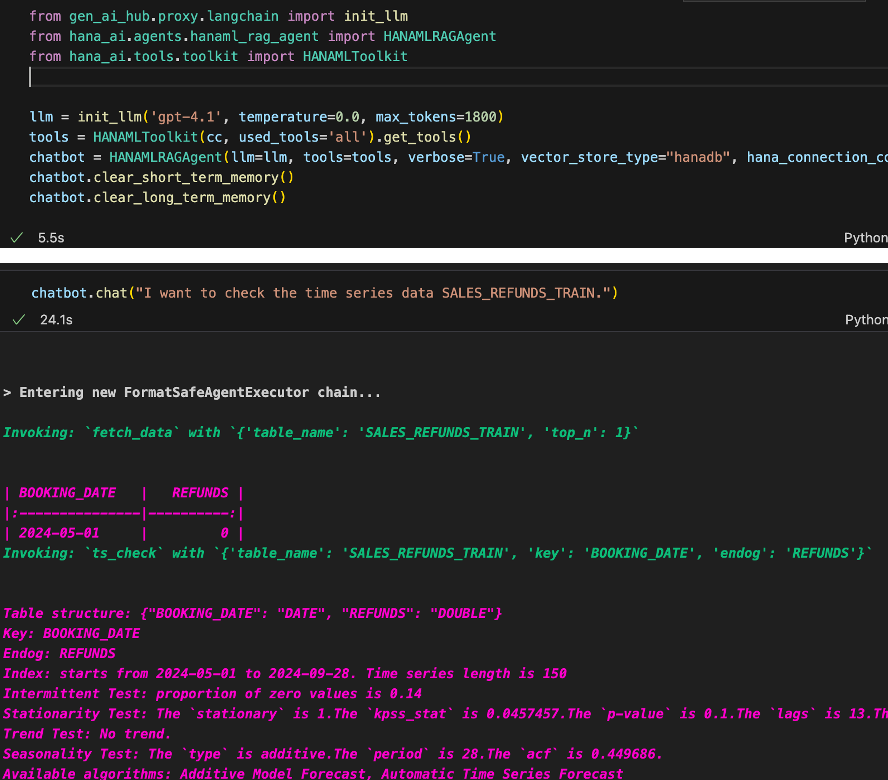
ContextAgent currently supports workflow skills for dataset preparation, time-series profiling, forecasting, prediction-result analysis, outlier inspection, grouped forecasting, model lifecycle operations, and dataframe-oriented fallback steps.
ContextAgent also supports command-style controls during chat calls:
Memory commands:
!clear_notes,!clear_session,!reset_memory,!clear_notes_file,!clear_todo,!clear_decisions,!clear_context,!clear_chat,!clear_summarySkill commands:
!list_skills,!active_skills,!skills_on,!skills_off,!enable_skill <skill_name>,!disable_skill <skill_name>
HANA Vector Store and Knowledge Base API
Create Knowledge Base for hana-ml codes in HANA Vector Engine.
hana_vec = HANAMLinVectorEngine(connection_context=cc, table_name="hana_vec_hana_ml_knowledge")
hana_vec.create_knowledge()
Create Code Template Tool and Add Knowledge Bases to It
Create a code template tool and add knowledge bases to it.
from hana_ai.tools.code_template_tools import GetCodeTemplateFromVectorDB

code_tool = GetCodeTemplateFromVectorDB()
code_tool.set_vectordb(vectordb=self.vectordb)
Create HANA Dataframe Agent and Execute Task
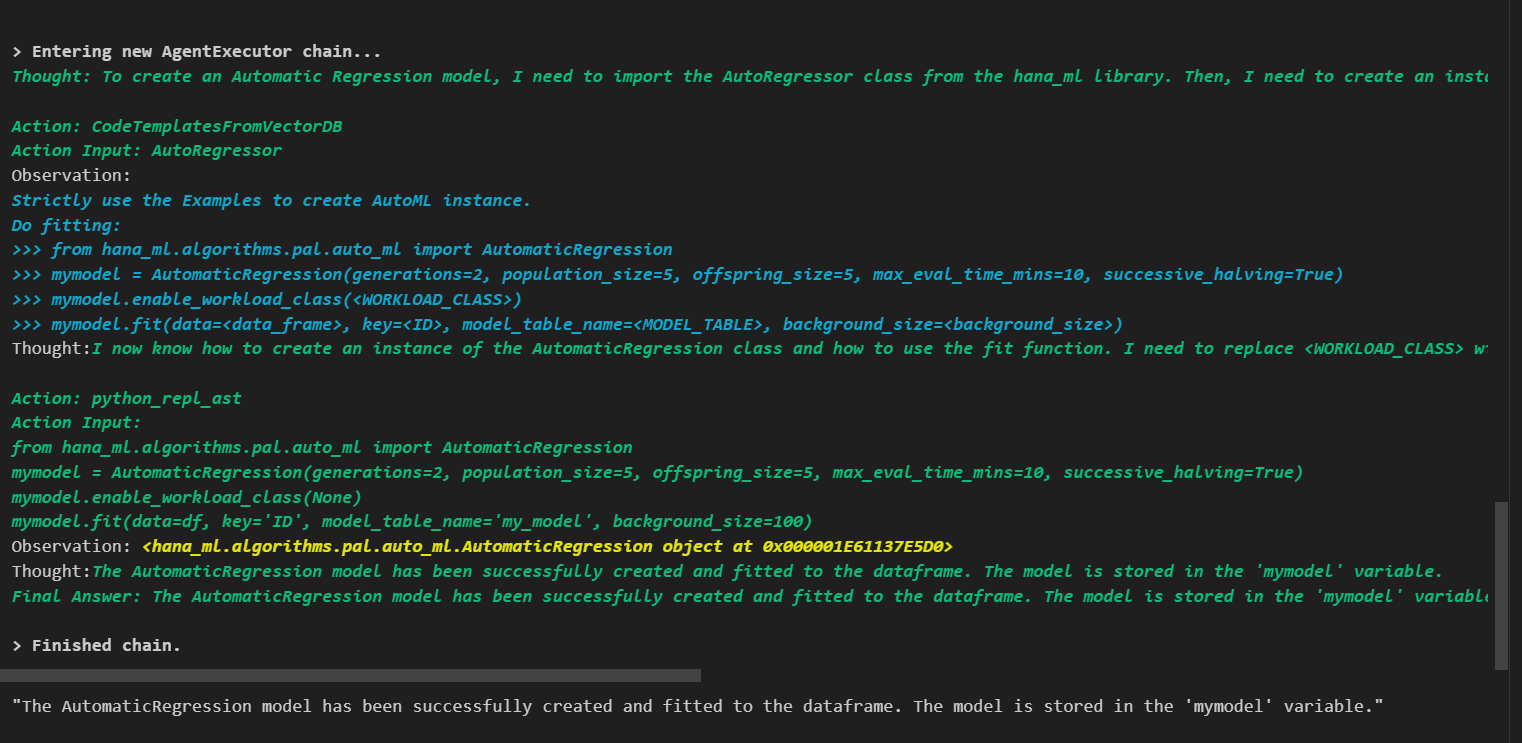
Create a HANA dataframe agent and execute a task.
from hana_ai.agents.hana_dataframe_agent import create_hana_dataframe_agent

agent = create_hana_dataframe_agent(llm=llm, df=data, verbose=True)
agent.invoke("Create Automatic Regression model on this dataframe with max_eval_time_mins=10. Provide key is ID, background_size=100 and model_table_name='my_model' in the fit function and execute it. ")
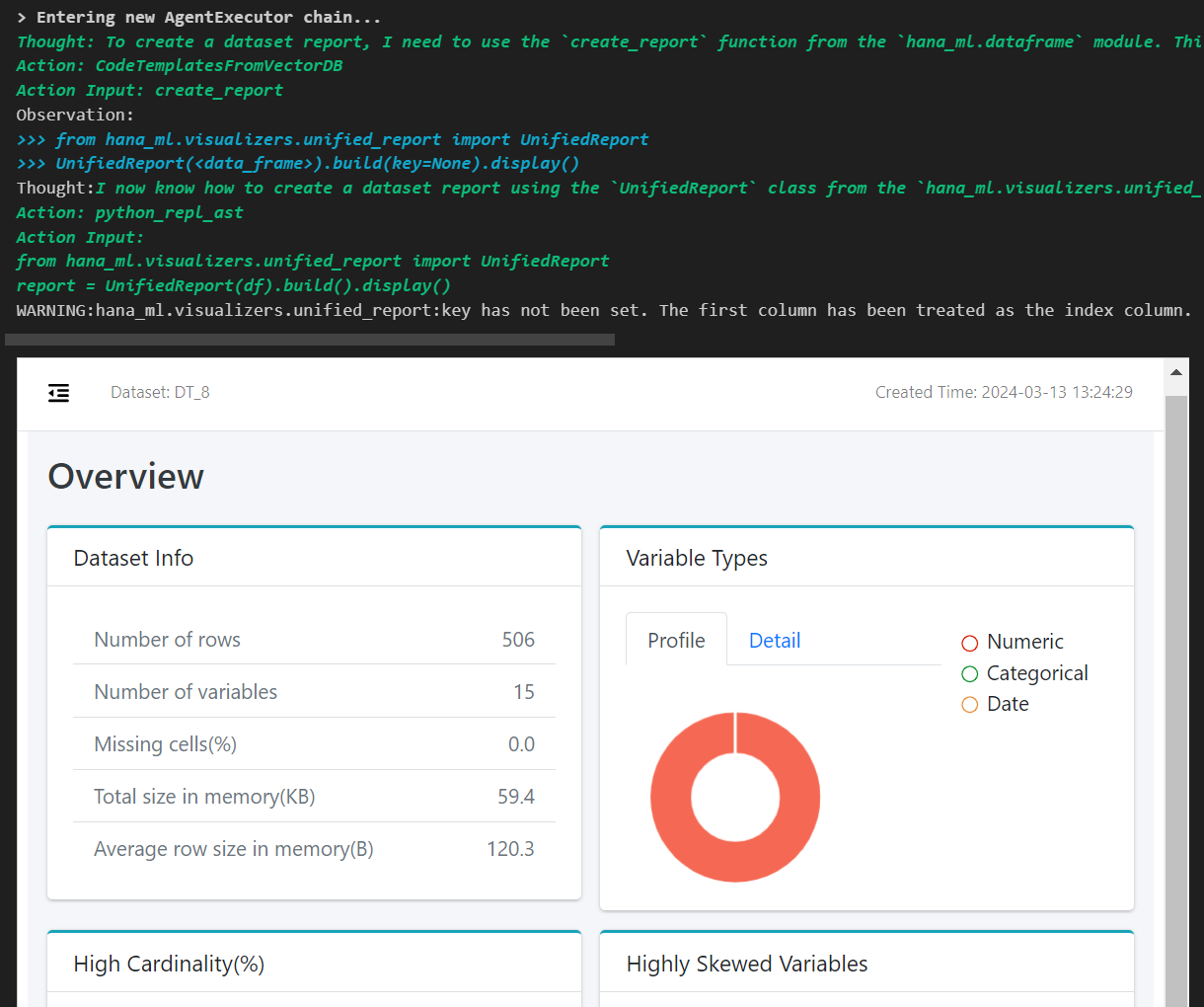
Build a dataset report.
agent.invoke("Build a dataset report")
Smart DataFrame
Smart DataFrame is a HANA dataframe Agent to interact with HANA data.
from hana_ai.smart_dataframe import SmartDataFrame

sdf = SmartDataFrame(dataframe=hana_df)
sdf.configure(llm=llm)
new_df = sdf.transform(question="Get first two rows", verbose=True)
new_df.collect()
