This page provides an overview of available methods to install the CAP Operator on a Kubernetes cluster using CAP Operator Manager.
This is the multi-page printable view of this section. Click here to print.
Installation
How to install CAP Operator using CAP Operator Manager
1 - Kyma Cluster
How to install CAP Operator in a Kyma cluster
The CAP Operator is available as a Community module in Kyma clusters.
To enable the CAP Operator module in your Kyma cluster, follow these steps:
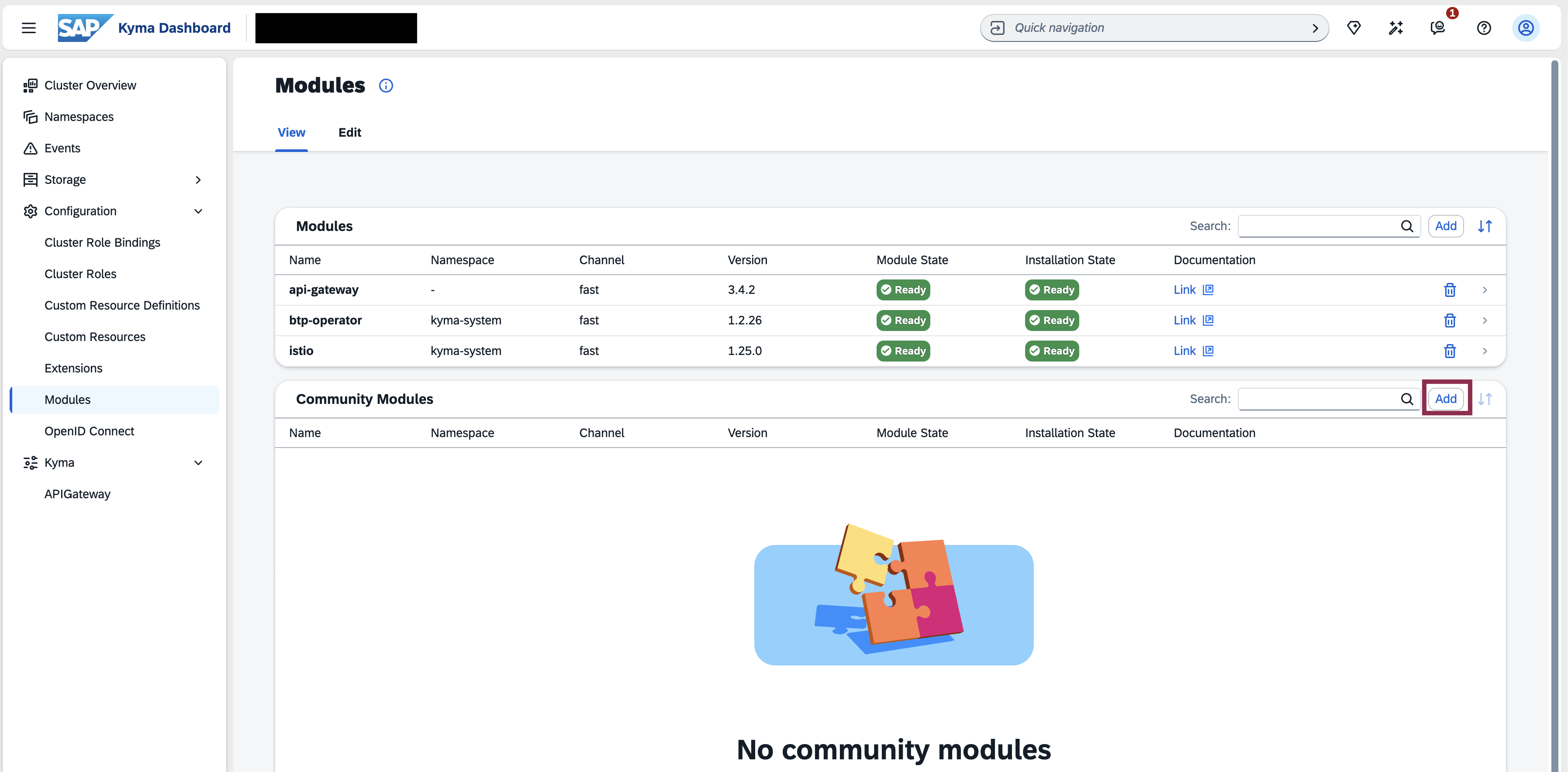
Open the Kyma Console, navigate to the Modules section, and click the Add button within Community Modules list.
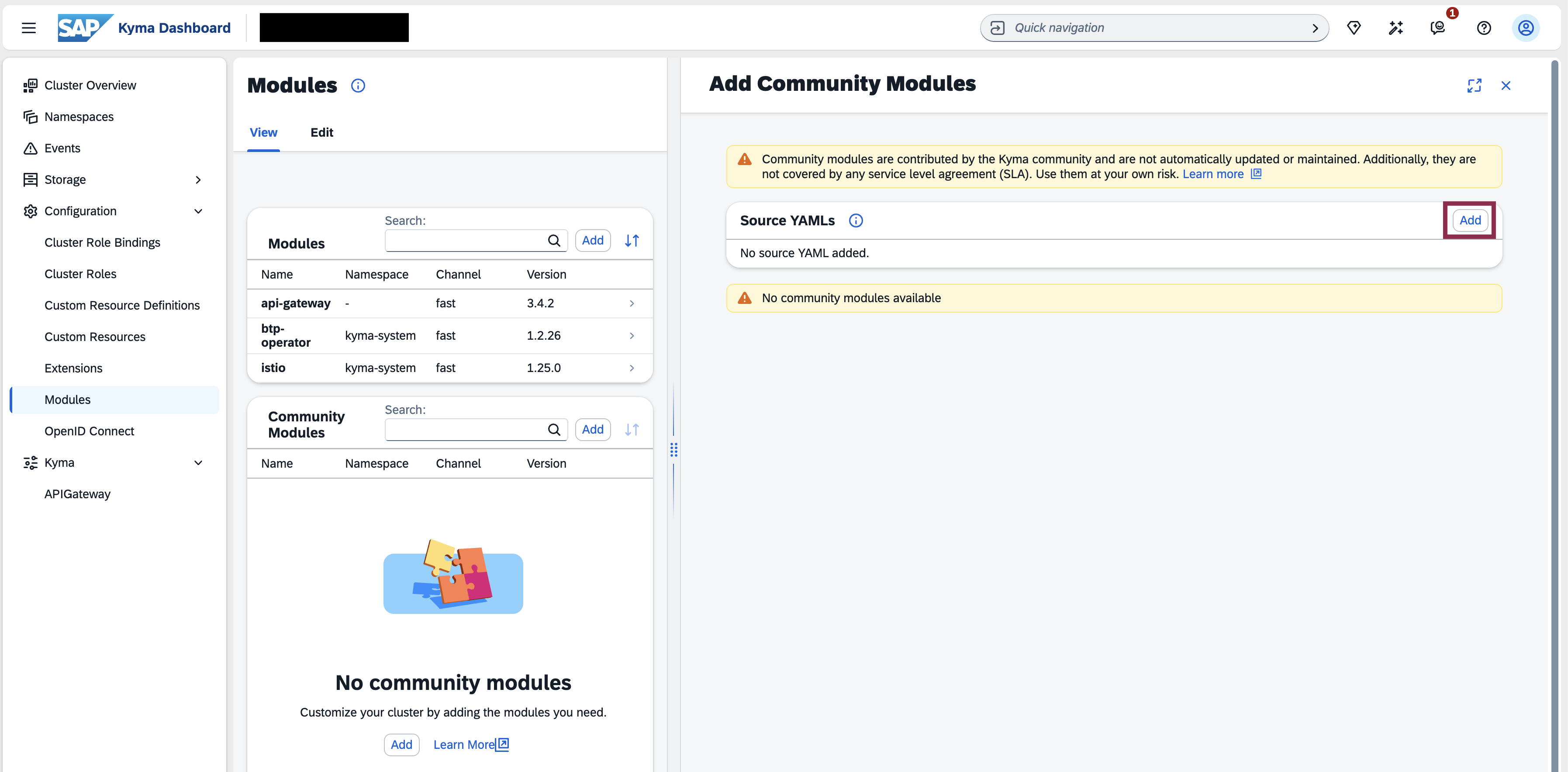
Click the Add button in the Source YAMLs section to load the list of community modules.
In the dialog that opens, you can see the list of available community modules and click the Add button.
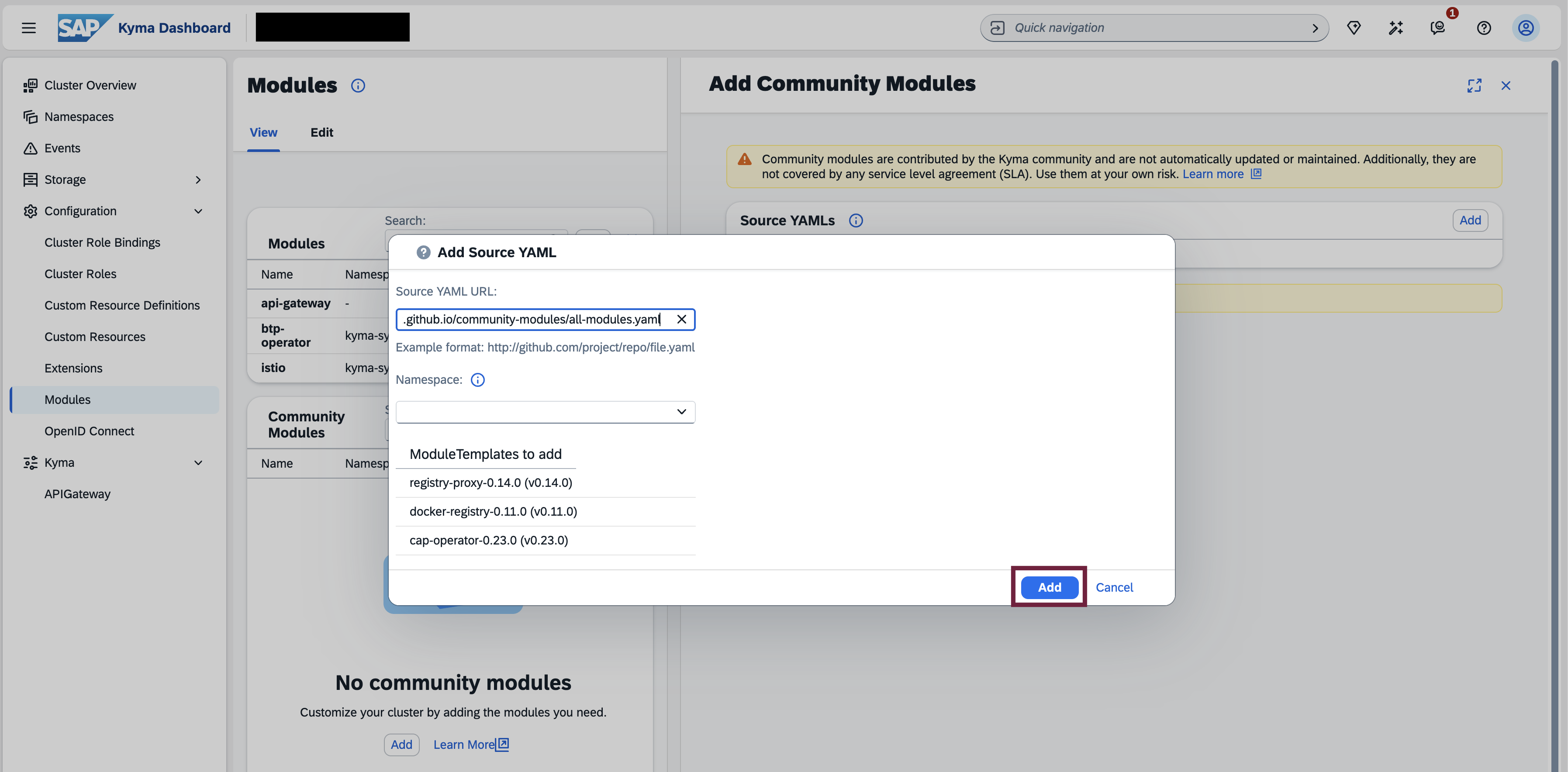
Select the CAP Operator module and click the Add button.
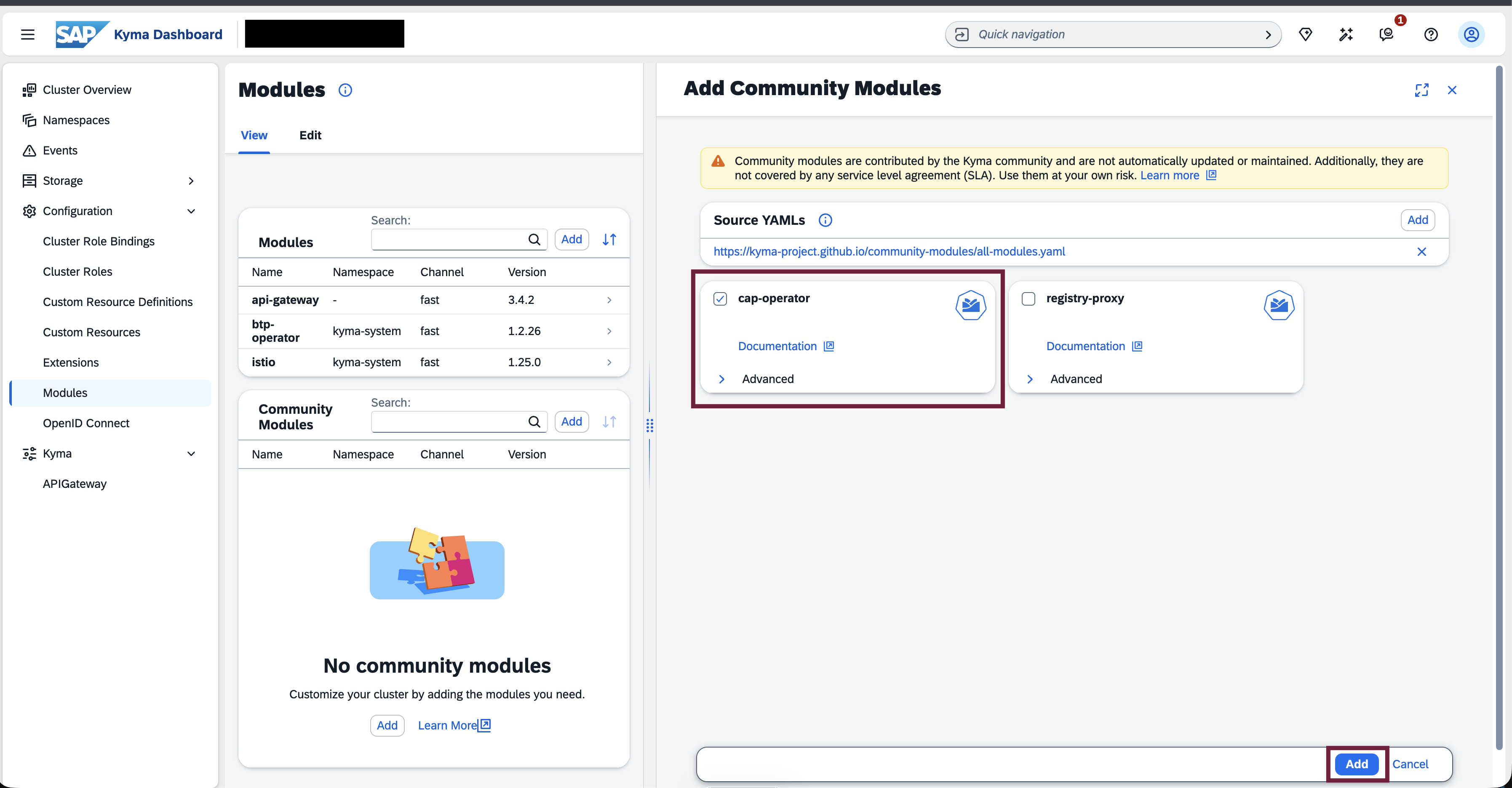
Wait for the automatic installation of the CAP Operator components into the
cap-operator-systemnamespace to complete.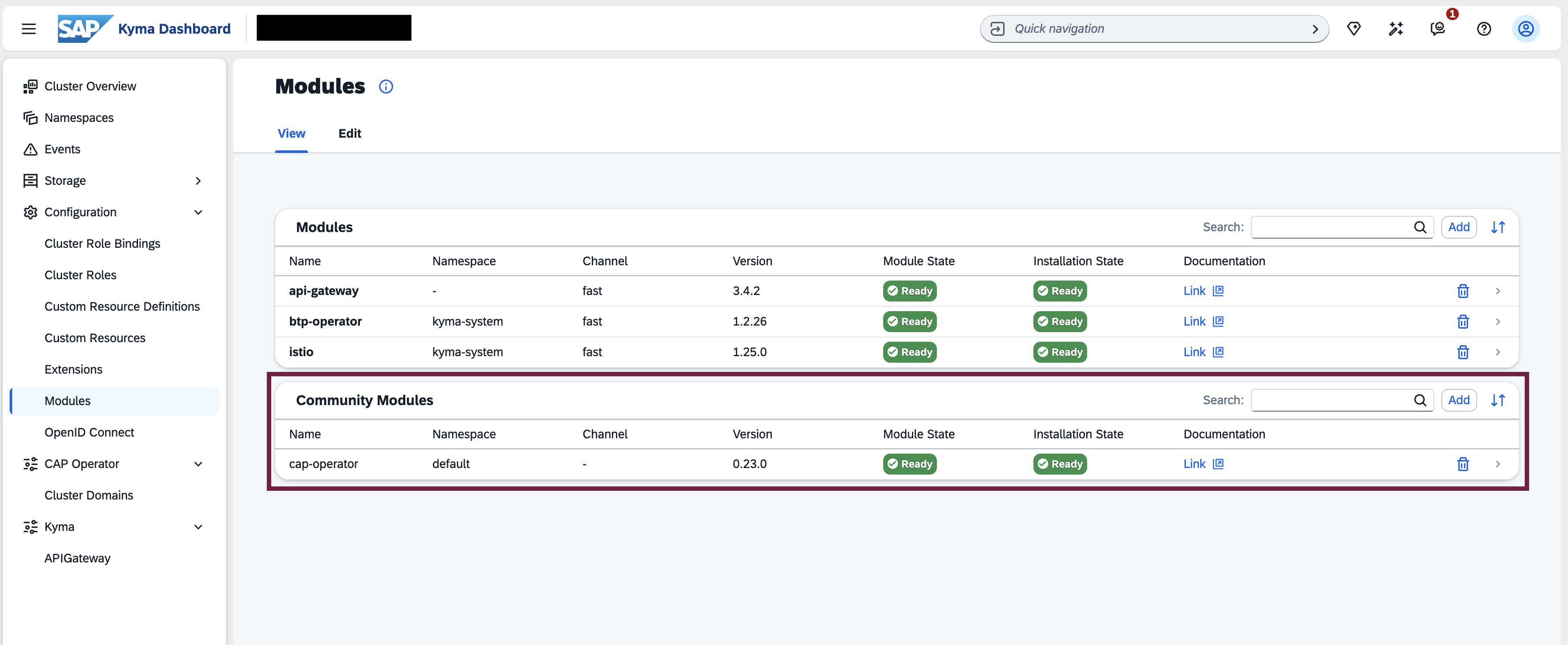
2 - Local Cluster
How to install CAP Operator using CAP Operator Manager in a local cluster
Install CAP Operator Manager
To install the latest version of CAP Operator Manager, please execute the following command:
kubectl apply -f https://github.com/SAP/cap-operator-lifecycle/releases/latest/download/manager_manifest.yaml
This would create a namespace cap-operator-system with CAP Operator Manager installed.
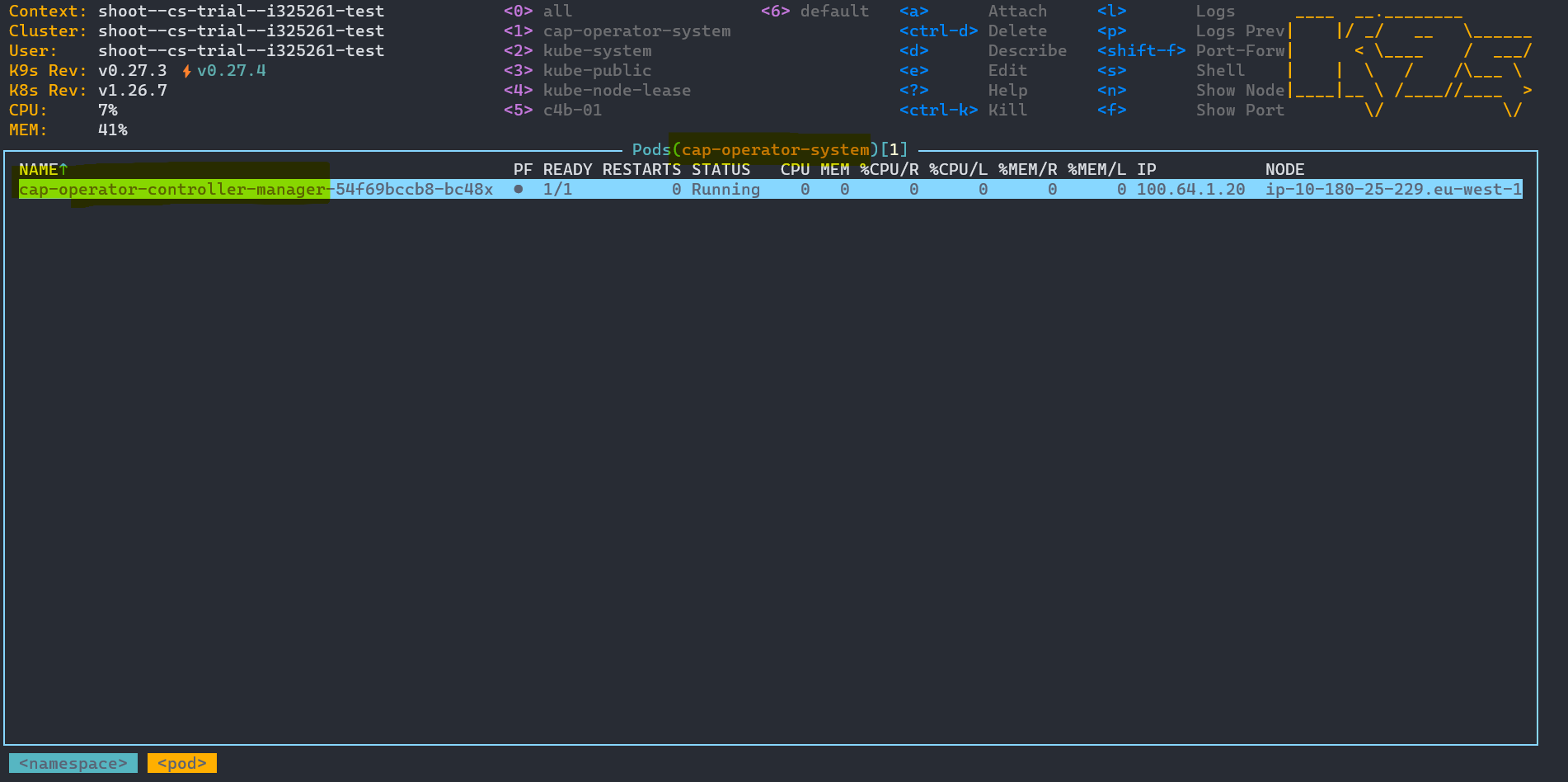
Install CAP Operator using CAP Operator Manager
Once the CAP Operator Manager is running, you can install the CAP operator by executing the following command:
kubectl apply -n cap-operator-system -f https://github.com/SAP/cap-operator-lifecycle/releases/latest/download/manager_default_CR.yaml
This would work only if the ingressGatewayLabels in your clusters match the following values:
  ingressGatewayLabels:
    - name: istio
      value: ingressgateway
    - name: app
      value: istio-ingressgateway
If not, you must manually create the CAPOperator resource by applying the below yaml to the cap-operator-system namespace after filling in the ingressGatewayLabels values from your cluster.
apiVersion: operator.sme.sap.com/v1alpha1
kind: CAPOperator
metadata:
  name: cap-operator
spec:
  subscriptionServer:
    subDomain: cap-op
  ingressGatewayLabels:
    - name: <<--Label Name-->>
      value: <<--Label Value-->>
    - name: <<--Label Name-->>
      value: <<--Label Value-->>
Once the CAPOperator resource is created, the CAP Operator Manager will start installing the CAP Operator in the namespace. Once the resource is ready, you can see the CAP Operator Pods running in the namespace.
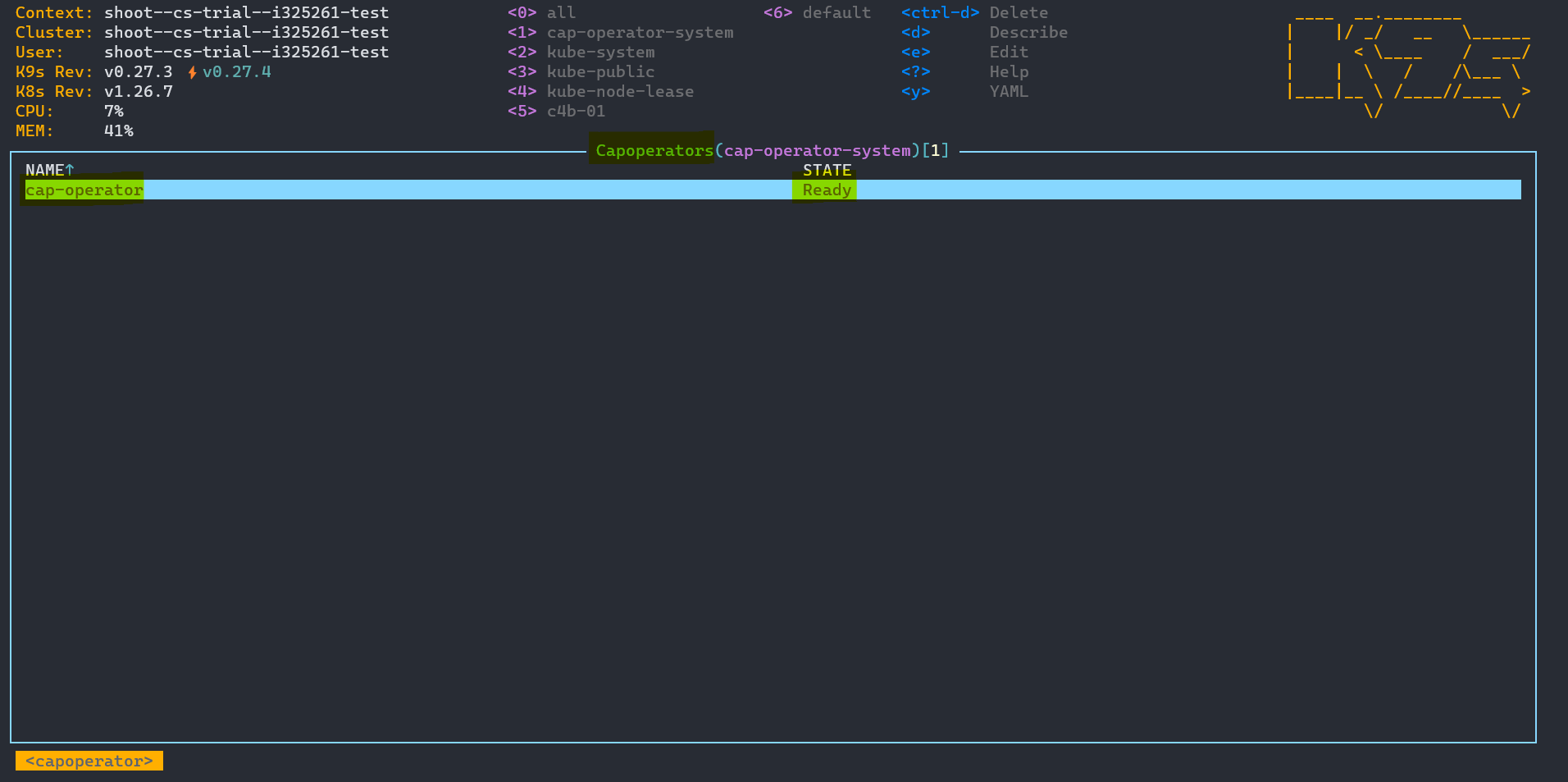
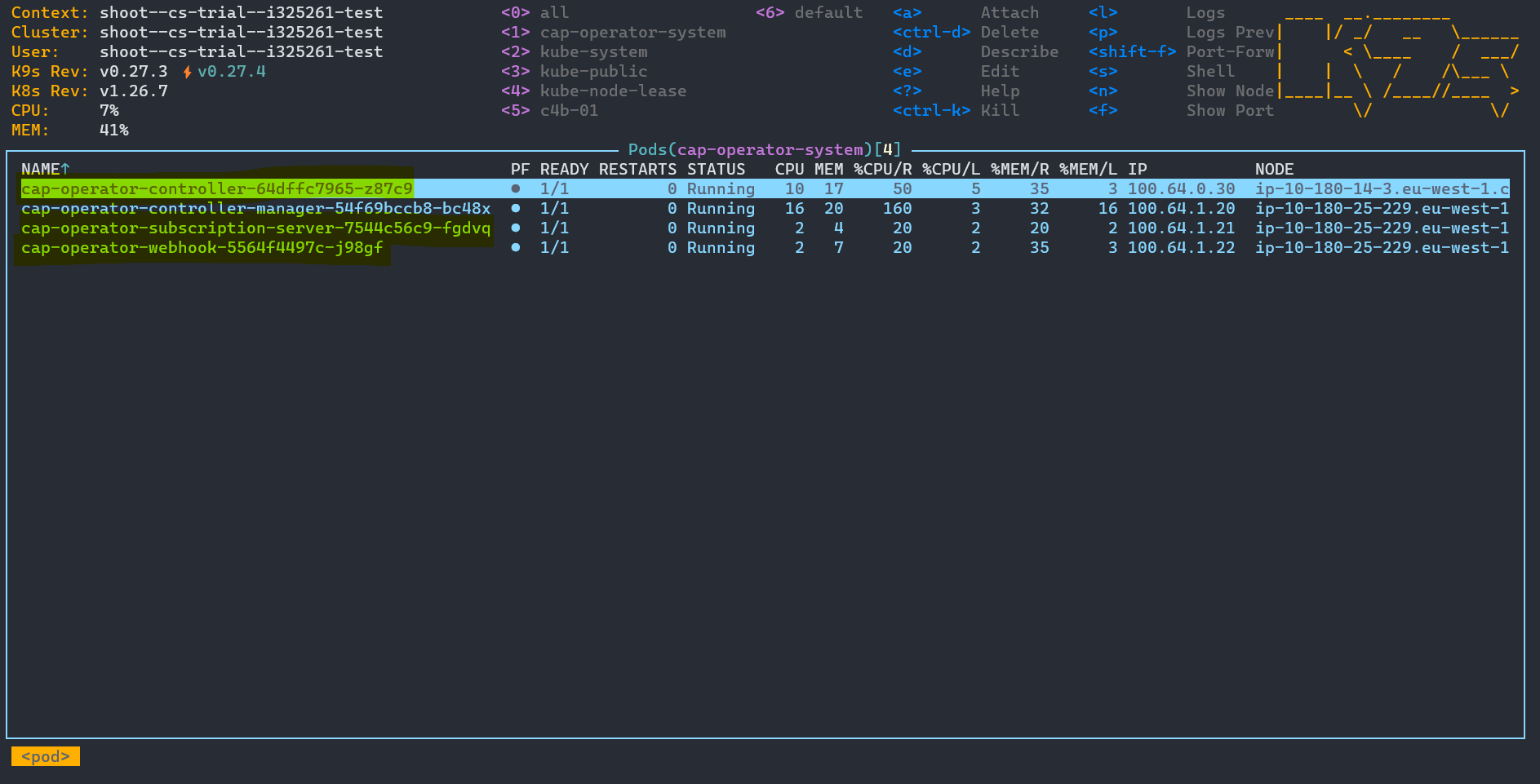
CAP Operator Pods: